

In order to see and use all the features of your Everyday Ballet membership, you will need to adjust your browser settings to allow our website permission to load certain content. This is necessary to allow various forms and videos to display properly. Everyday Ballet does not allow any ads on our website, so your ad-free experience will not be compromised.
Here are the instructions for Google Chrome, but other browsers will be similar:
1. Open your browser.
2. Go to the top left of your screen where you will see a menu similar to this (the screenshot is on Mac with Google Chrome)
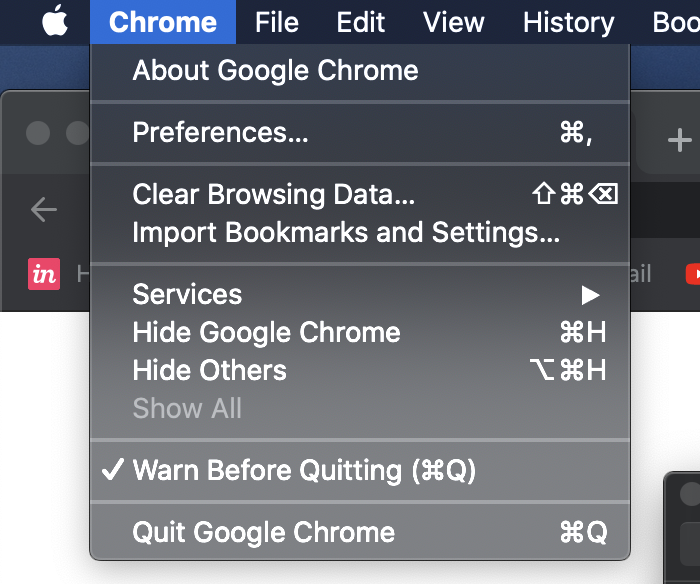
3. Select “Preferences”– You’ll see this:

4. Select “Privacy and security”
5. Select “Site Settings”
6. Scroll down to the bottom and click on “Pop-ups and Redirects”

6. Use the Add button to add everydayballet.com
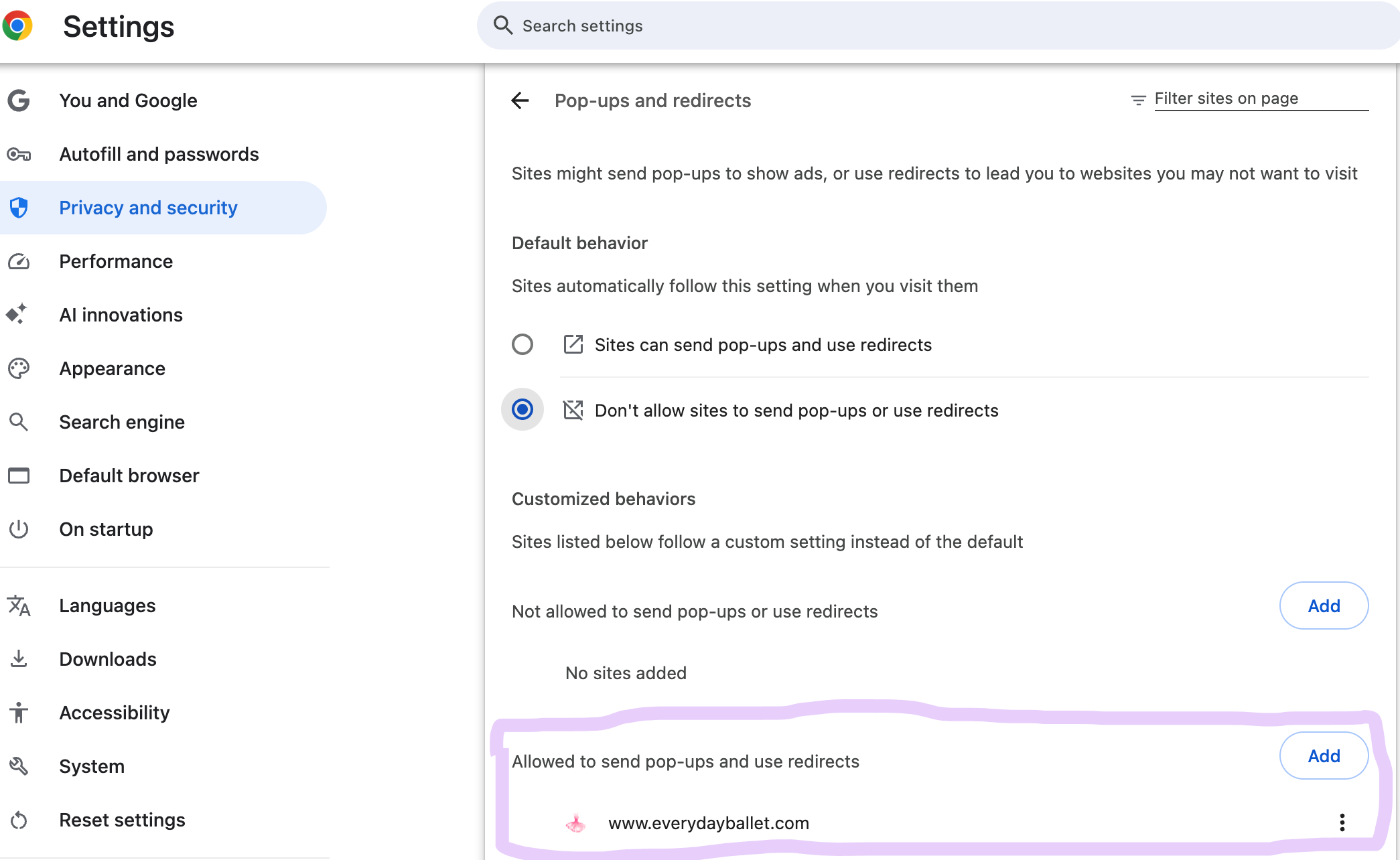
Completing these steps will allow your membership login and other site content to load properly.
The alternative is to open a private/incognito window, and then go to www.everydayballet.com/login. Member content will display in private mode.
If you need further assistance, please reach out to us at tiekka@everydayballet.com.